Hide what matters. Share the rest.
Omit leaves out the parts of a picture that you do not want to show: faces of children, names, numbers, a passport photo. Draw it, tap it or let Omit find it. Everything happens on your phone.
How it works
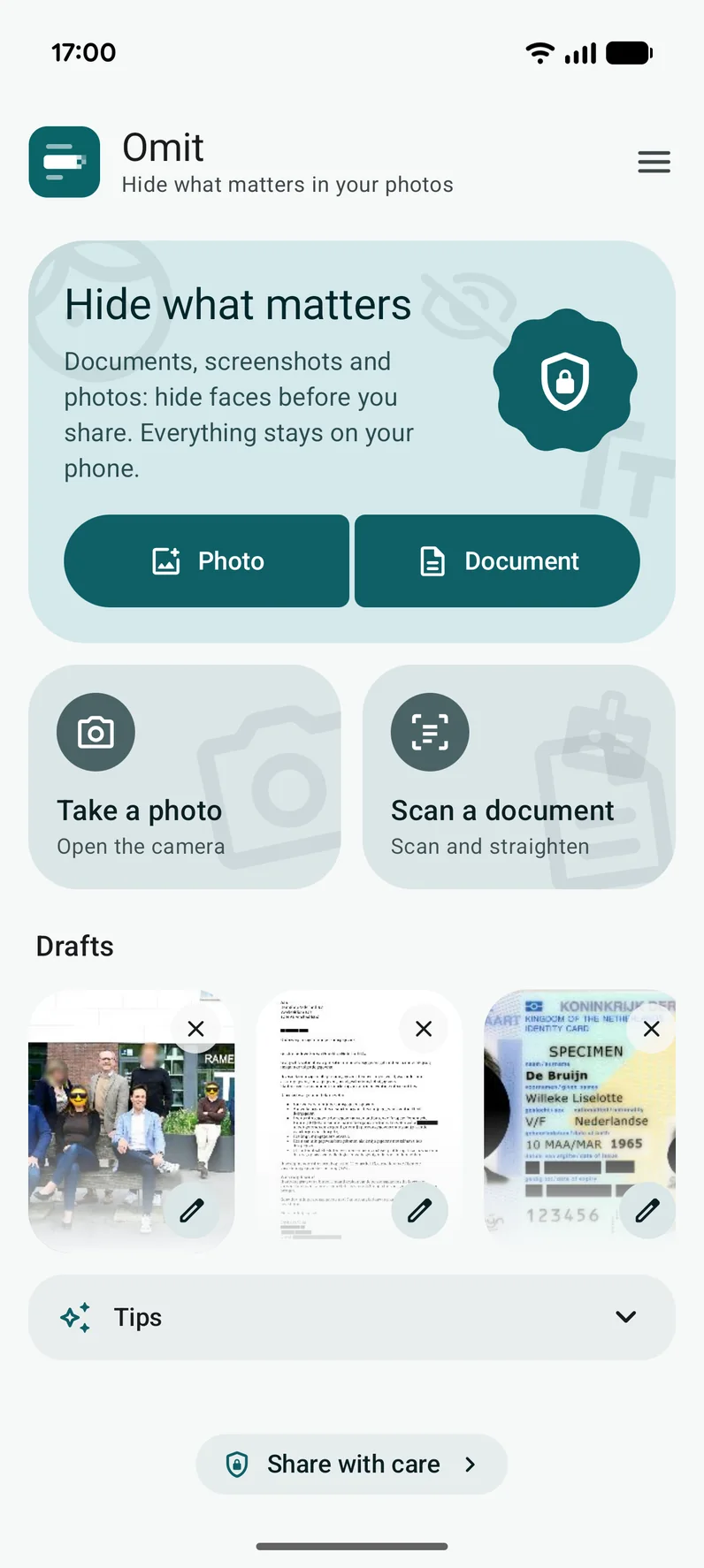
Choose a picture
Pick a photo or a PDF, take a picture, scan a document or share straight to Omit from another app.
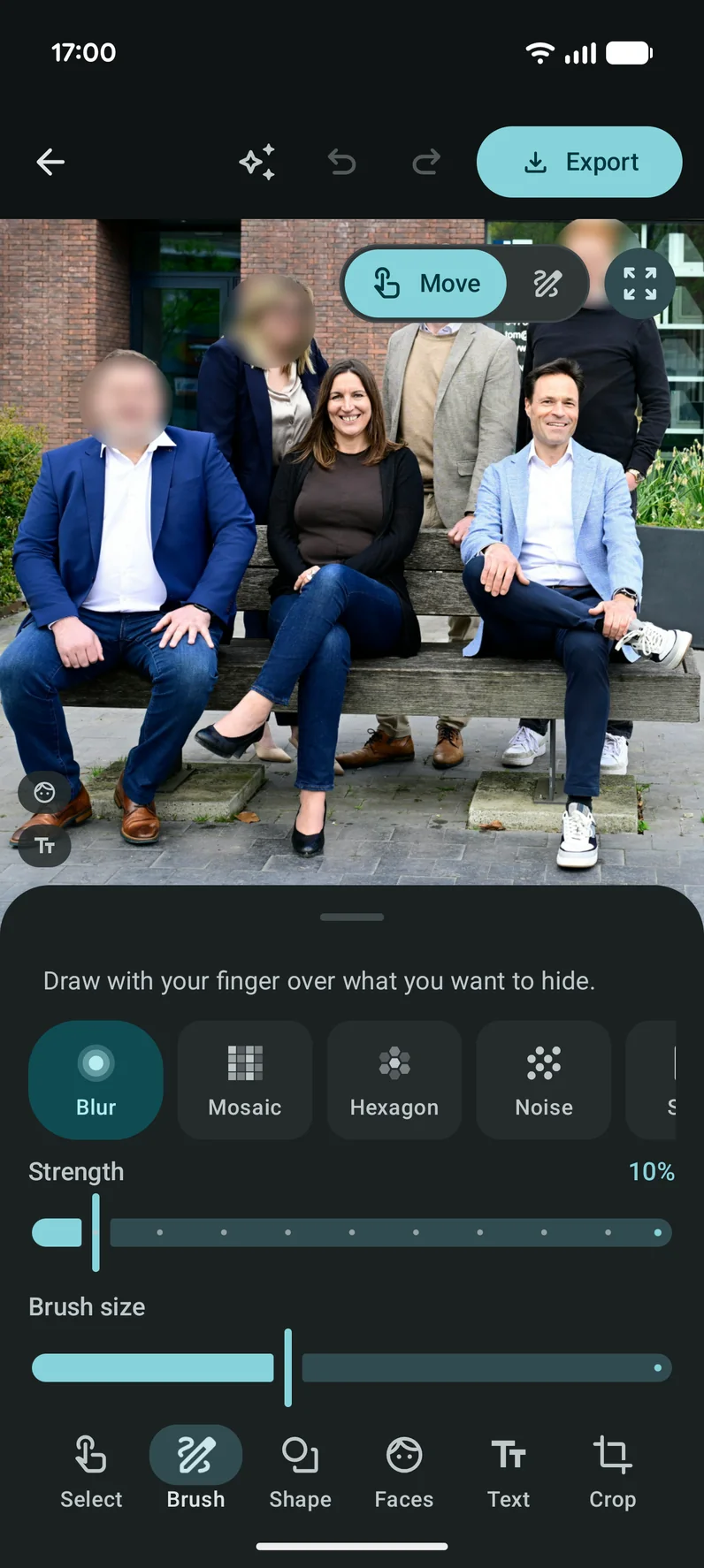
Hide what matters
Swipe over it with the brush, drag a shape, or let Omit find faces and text. Pick blur, mosaic, black or an emoji.
Save and share
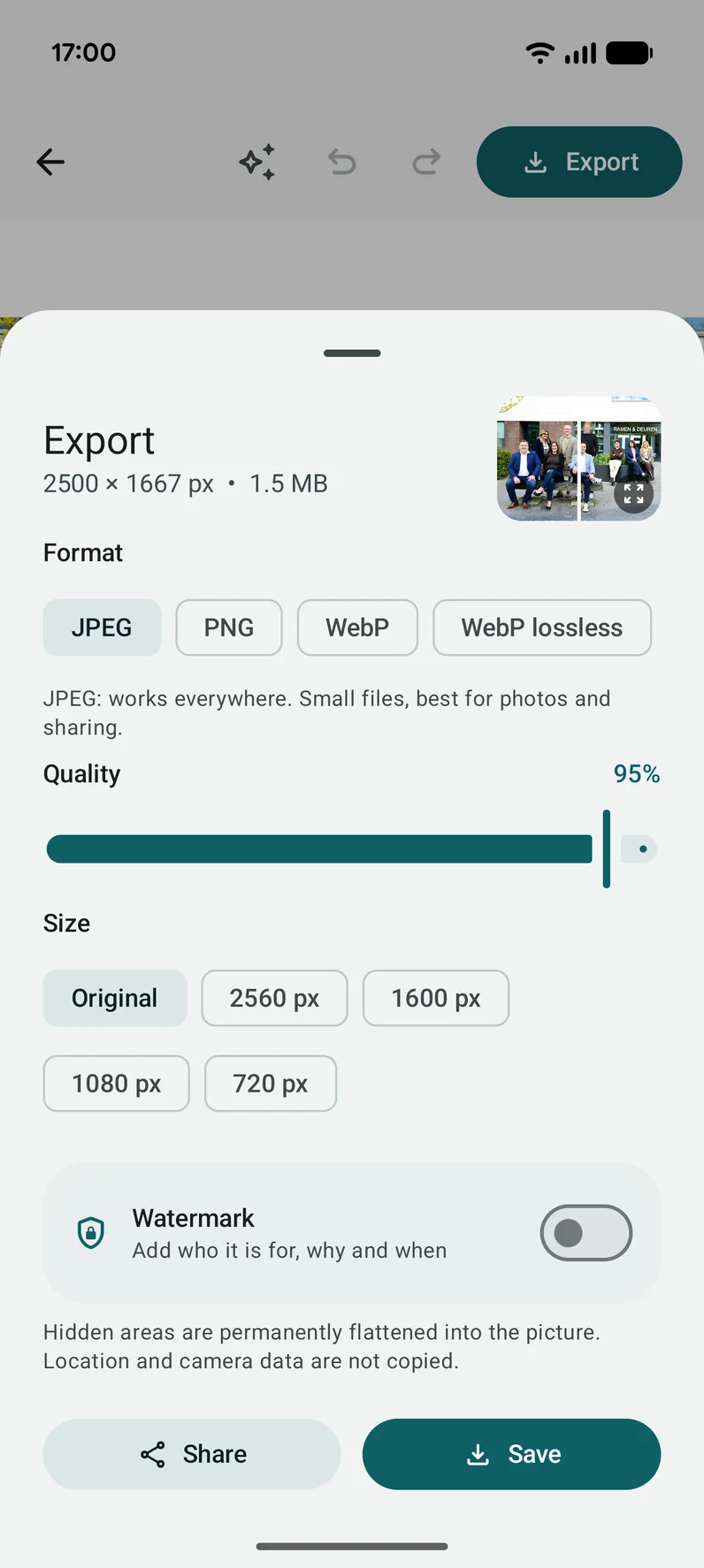
Save the result without location or camera data and share it. What you hid is gone from the picture for good.
Everything you need to hide things well
Six ways to hide
Blur, mosaic, solid black, emoji, hexagons or noise. Choose the strength and the color. Highlight and strikethrough are there too.
Faces, found for you
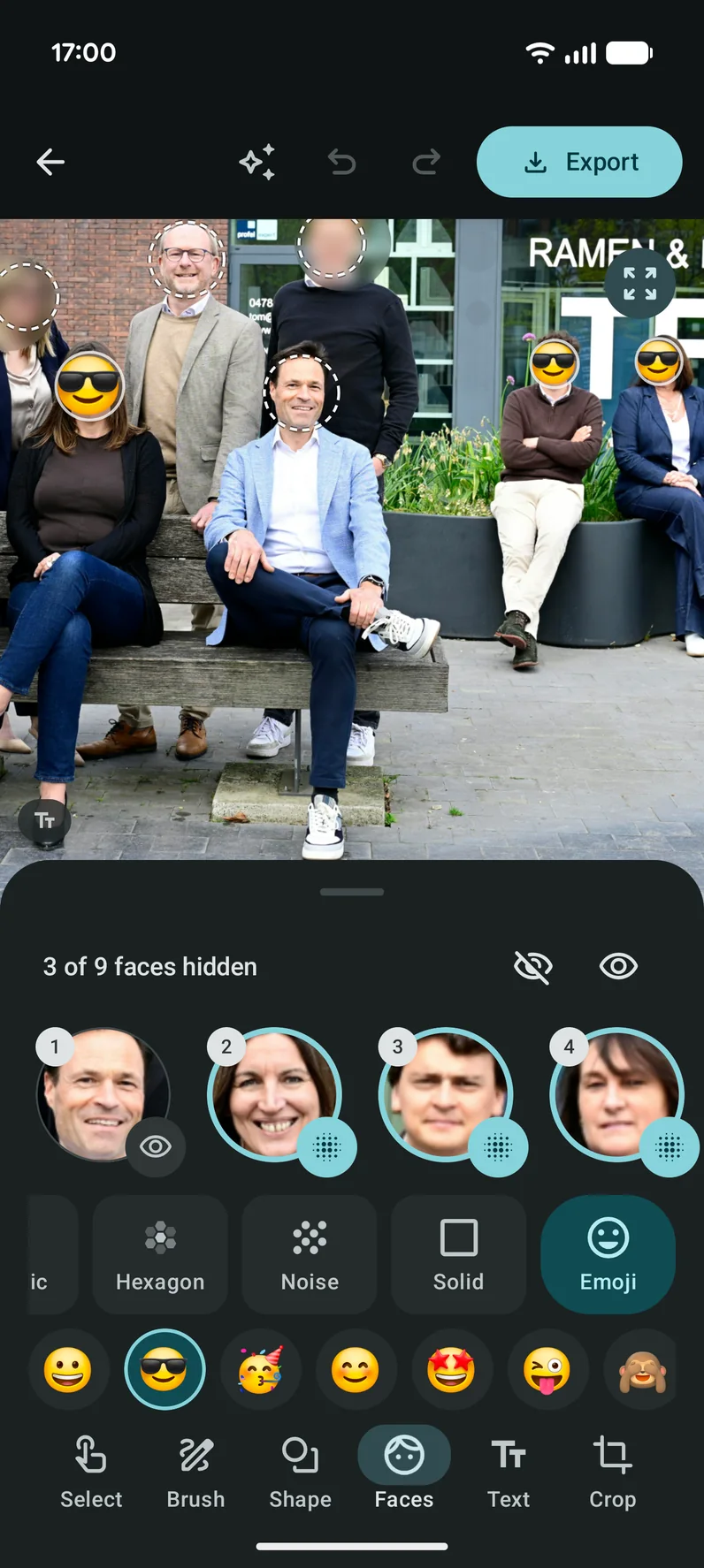
Omit finds every face when you open a photo. You choose who stays visible and cover the rest. Handy for school and birthday photos.
Text, one tap
Omit reads the text in documents and screenshots. Tap a word to hide it, or hide everything at once.
ID documents
Passports, ID cards and driving licences are recognized. Numbers, dates, the lines at the bottom and the photo are covered in one tap.
Sensitive details
Email addresses, phone numbers, bank account numbers and links are found and covered in one go.
Brush and shapes
Draw over anything with your finger, or drag a rectangle, oval, triangle or hexagon. Move, resize, undo and redo.
Scan documents
Scan a paper document with the camera, crop it and make it easier to read with light, medium or strong enhancement.
PDFs
Open a PDF, hide things on every page and save it as a PDF again with Pro. Without Pro, page 1 opens as a picture.
Many photos at once
Share up to 30 photos to Omit. Find faces and text in all of them, check a preview and save everything in one go.
Clean export
Hidden areas are flattened into the picture for good. Location and camera data are not copied. JPEG is free; PNG and WebP are Pro.
Drafts and recently saved
Save an edit as a draft and finish it later. Saved pictures stay in a list with a pencil, so you can edit them again.
Made for your phone
Light, dark and OLED black, optional dynamic color, haptic feedback and smooth motion. In 12 languages.
Watermark
Add your name, who the copy is for, why and the date, so nobody can reuse it unnoticed. Choose color, angle and size, place it where you want or repeat it across the picture. A Pro feature.
Share with care
A short guide in the app: ask first what happens to your data, never send passwords, check the recipient and know your rights.
Choose how it looks
Every hidden area can have its own style. You can change it later, as long as you have not saved yet.
Blur
Mosaic Pro
Solid
Emoji Pro
Hexagons Pro
Noise Pro
Tip: for numbers and other sensitive details, solid black is the safest choice. Omit uses it by default for ID documents.
A look inside the app
Faces, text and ID documents, found for you. You stay in control.
Protect children's faces
Share a school trip or a birthday without making children recognizable. You choose who stays visible.
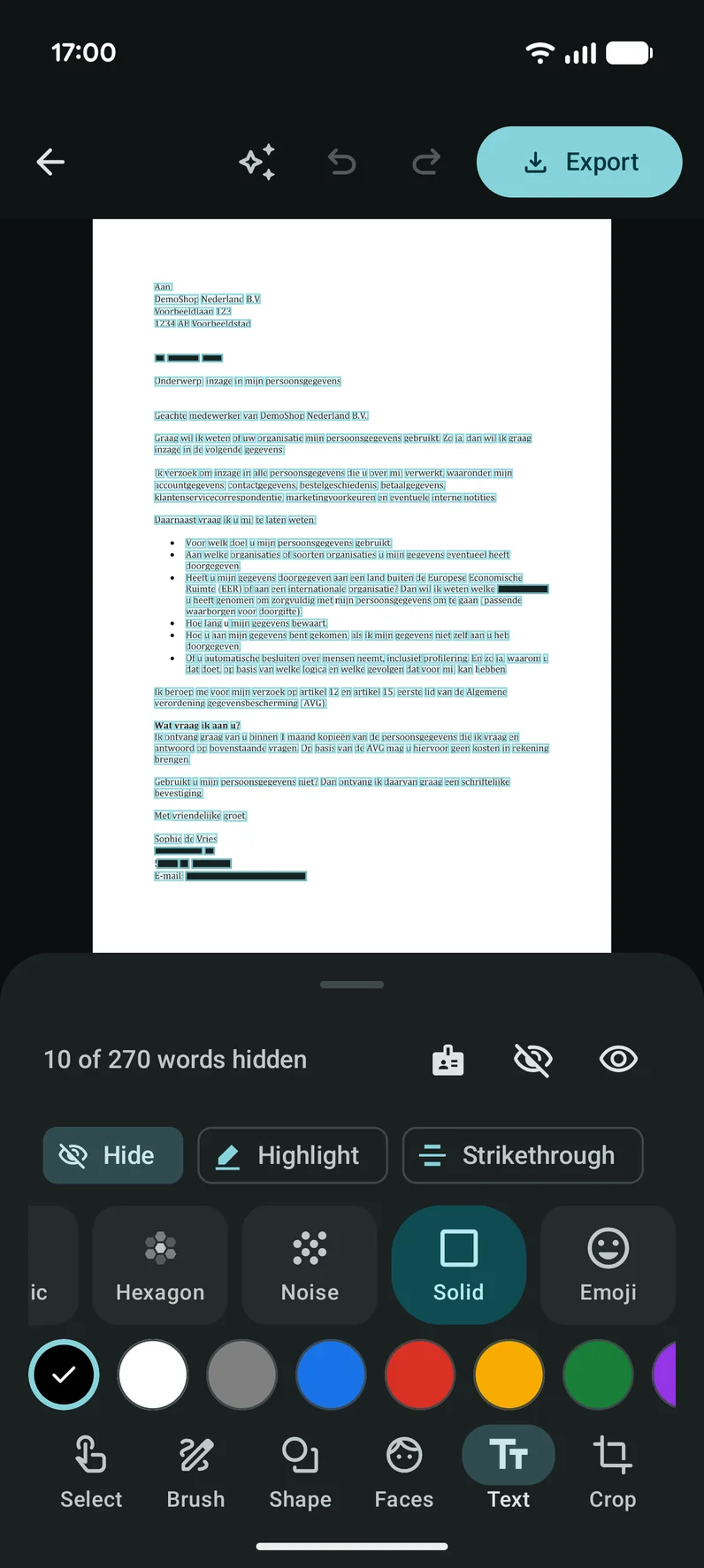
Text, one tap
Words in documents and screenshots are found. Tap one to hide it, or hide them all at once.
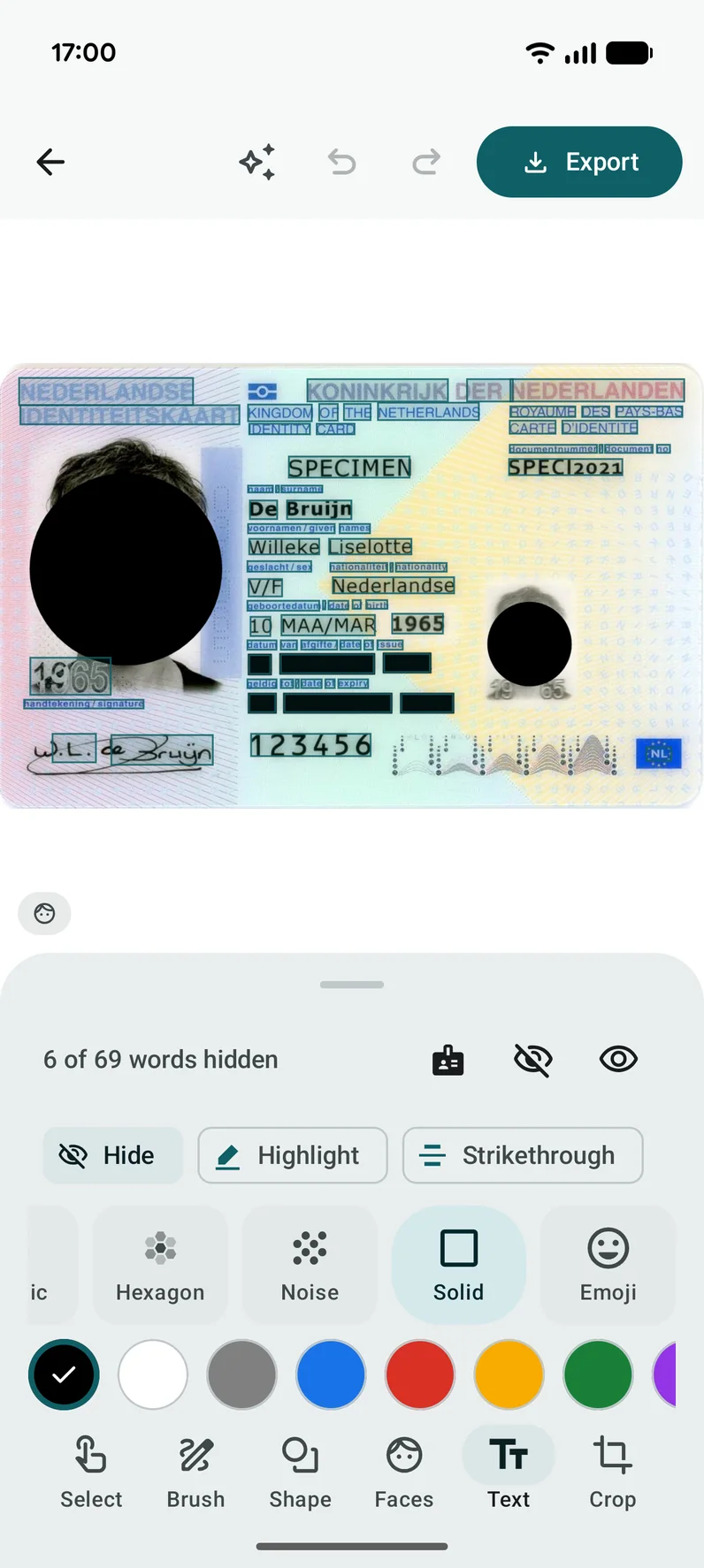
ID documents
Passports and ID cards are recognized. Numbers, dates and the photo are covered at once.
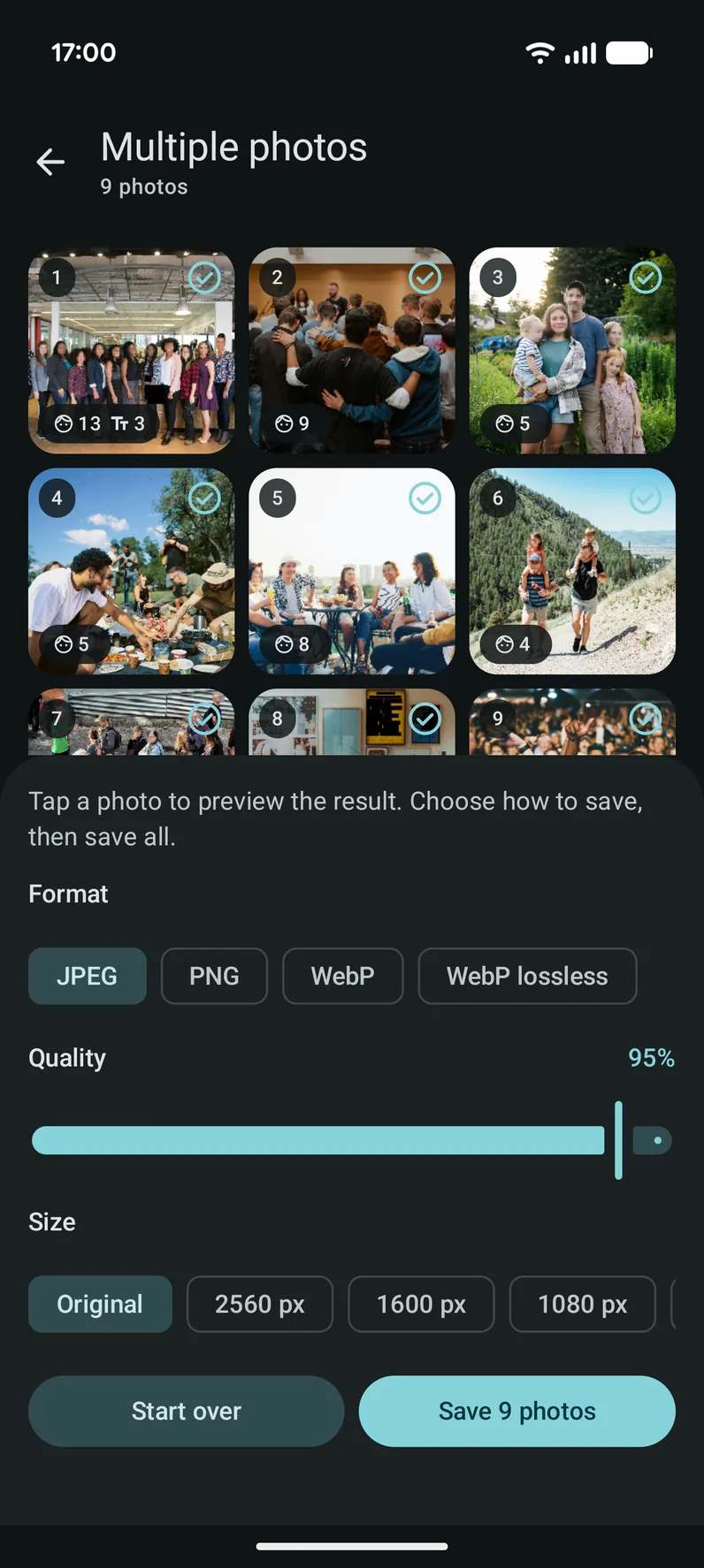
Many photos at once
Up to 30 photos in one go, with a preview before anything is saved.
Free and Pro
Omit is free to use and always without ads. With Pro, bought once, Omit finds faces, text and ID details for you.
Free
No account, no ads
- Blur and solid black, plus highlight and strikethrough
- Brush and shapes, with undo and redo
- Photos from the gallery, the camera or another app, and document scanning
- Document enhancement, crop and rotate
- Up to 30 photos in one batch, drafts and recently saved
- Export as JPEG without location or camera data
Omit ProPro
One purchase, yours forever
- Automatic face detection and the Faces tool
- Text recognition: hide words with a tap
- ID documents and sensitive details covered in one go
- Extra styles: mosaic, hexagons, noise and emoji masks
- Any color to cover with
- PDFs with multiple pages
- PNG and WebP, a quality slider and extra sizes
- Watermark with name, recipient, reason and date
Pro is a one-time purchase in the app, not a subscription. The price is shown there, in your own currency.
Your pictures stay yours
- Everything happens on your phone. Your pictures, documents and faces are never uploaded, and the developer receives nothing.
- No account and no ads. Omit does not need the internet to hide things; it is used only by Google Play for Pro.
- Saved pictures contain no location or camera data, and the hidden parts are gone from the picture for good.
Questions and answers
Is Omit free?
Yes. You can hide things with the brush and shapes, in blur or solid black, and save as JPEG, without an account and without ads. Pro is an optional one-time purchase that adds automatic finding of faces, text and ID details, extra styles, PDFs with many pages, a watermark and more export formats.
Are my photos uploaded anywhere?
No. Faces, text and ID details are found on your phone and the picture is edited on your phone. The developer receives nothing. Only Google Play uses the internet, for example to check your Pro purchase.
Can someone undo a blur afterwards?
When you save, the hidden areas are flattened into the picture, so there is no layer to remove. For numbers, names and other details that must stay unreadable, choose solid black: it replaces the pixels completely. Your original photo is never changed.
Is the location removed from my photo?
Yes. A picture saved with Omit does not contain location or camera data. That is on by default, so you can share it without giving away where it was taken.
Does Omit find everything automatically?
Omit finds most faces, words and ID details, but no automatic detection is perfect: a turned head, a small face or a blurry word can be missed. Always look at the result before you share, and add or remove areas by hand where needed.
Which files can I open and save?
You can open photos and screenshots and PDF files. Free export is JPEG; with Pro you can also save PNG and WebP, choose the quality and pick extra sizes. With Pro a PDF with many pages is saved as a PDF again; without Pro, page 1 opens as a picture and is saved as an image.
Can I change something after saving?
Yes. Saved pictures stay on the start screen under Recently saved, with a pencil to open them again, and unfinished work waits under Drafts. You can turn Recently saved off in the settings; then nothing is kept.
How many photos can I do at once?
Up to 30. Share them to Omit from your gallery, let Omit find faces and text in all of them, look at the preview and save everything in one go.
Is Pro a subscription?
No. Pro is bought once in the app and is yours for good. The price is shown in the app in your own currency. It is linked to your Google account, so it also works on a new phone.
Does Omit work without internet?
Yes. Hiding, finding faces and text, and saving all work offline. The first time you use recognition, Google Play services may need to download its model once, so open that tool once while you are online.
Which phones does it run on?
On Android 10 or newer. Omit follows the language of your phone and is available in 12 languages. Omit has a light, a dark and an OLED black look, and can use the colors of your wallpaper.
I found a bug or have an idea. Where can I tell you?
Use the contact form further down this page, or send a report from the app's settings. Both reach the developer directly, and every message is read.
Contact
A question, an idea or did you find a mistake? Write to us. We read everything and reply by email.